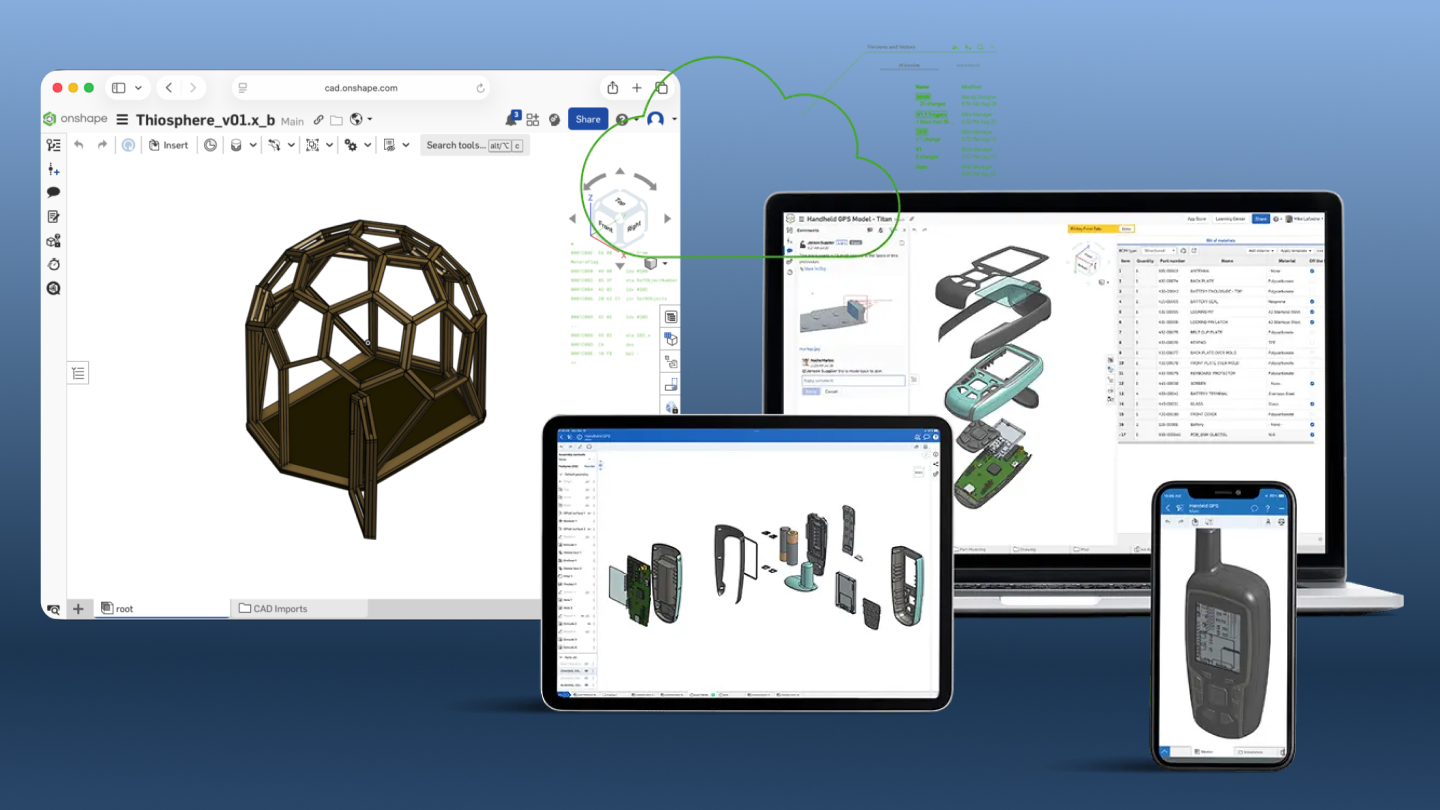
We moved everything to OnShape. Every design file, every assembly, every drawing — migrated from our previous CAD tools into a single, cloud-based platform.
This was a significant undertaking. I want to explain why we did it and what it means for the project.
The CAD Journey So Far
Like many hardware projects, Thios started with whatever tools were available.
SketchUp (early prototyping): Quick, intuitive, free. Great for visualizing ideas. Terrible for engineering — no parametric modeling, limited precision, export nightmares.
Plasticity (intermediate phase): A newer tool focused on 3D modeling artists. Beautiful workflow for creating organic shapes. But it's primarily a SubD (subdivision surface) modeler, not an engineering CAD tool. We hit limitations when we needed precise dimensions, assemblies, and manufacturing drawings.
OnShape (current): Full parametric CAD, entirely cloud-based, free for open-source projects. This is where we've landed.
The migration took about three weeks of focused work. Rebuilding models from scratch, establishing part numbering conventions, creating proper assemblies. Worth every hour.
Why OnShape?
Several factors made OnShape the right choice:
Parametric Modeling
In parametric CAD, dimensions are relationships, not just numbers. If I say "this hole is centered on this face," the hole stays centered even when I change the face size.
This sounds technical, but it's transformative for iterative design:
Old workflow: Design version 1. Get feedback. Manually update every affected dimension in version 2. Miss something. Find the error in testing. Fix it. Repeat.
Parametric workflow: Design version 1. Get feedback. Change the key dimension. Watch everything update automatically. Iterate faster.
For a project that's still evolving, parametric modeling isn't a luxury — it's essential.
True Assemblies
The Thiosphere isn't one part; it's hundreds of parts that fit together. Assemblies let us model how parts relate:
- This panel connects to that frame member
- This bolt passes through these three holes
- This clearance must be maintained for door swing
When I change a part, the assembly shows what else is affected. Interference detection catches mistakes before they become problems in the workshop.
Previous tools forced us to track these relationships mentally or in spreadsheets. OnShape tracks them in the model itself.
Manufacturing Outputs
CAD models are beautiful, but builders need drawings: dimensioned views showing exactly what to cut and where. They need BOMs (Bills of Materials): lists of every part with quantities and specifications.
OnShape generates these from the model. When the model changes, the drawings and BOMs update automatically. No more manual transcription errors.
Cloud-Based Collaboration
This is the feature that sealed the decision.
Traditional CAD uses file-based storage. Someone downloads a file, makes changes, uploads the new version. If two people edit simultaneously, one overwrites the other's work. Version control becomes a nightmare.
OnShape stores everything in the cloud with proper version control. Multiple people can view the same model simultaneously. Changes are tracked with full history. Branches allow experimental modifications without affecting the main design.
For an open-source project with (hopefully) many contributors, this is essential.
Free for Open Source
OnShape offers free accounts for public documents. As long as our files are publicly visible, we pay nothing.
This aligns perfectly with our open-source mission. We were going to publish everything anyway — now we save money doing it.
What We Lost
Honesty requires acknowledging tradeoffs:
Offline access: OnShape requires internet. If you're building in a remote location without connectivity, you can't check the model. We mitigate this with PDF exports, but it's a limitation.
Artistic freedom: Plasticity was wonderful for organic shapes and creative exploration. OnShape is more rigid, more engineering-focused. The designs are slightly more mechanical-looking as a result.
Learning curve: Anyone wanting to modify our files needs to learn OnShape's interface. It's easier than traditional CAD (SolidWorks, Fusion 360), but still a barrier.
Vendor dependence: We're trusting PTC (OnShape's owner) to maintain the free tier and not lock us out. There's risk here.
These tradeoffs are real. We accepted them for the benefits described above.
What This Means for Builders
If you're building a Thiosphere, here's what the OnShape migration means for you:
The Handbook Remains Primary
The handbook (PDF, step-by-step instructions) is still the primary build document. You don't need to touch CAD to build a Thiosphere.
But if you want to go deeper — understand the design rationale, check a dimension that seems wrong, modify the design for your situation — the CAD files are there.
You Can Copy and Modify
OnShape's public documents can be copied to your own account. Once copied, you can modify freely.
Want to add a window where we didn't put one? Copy the document, add the window, update the affected panels. The parametric modeling means changes propagate correctly.
You Can Contribute Back
Found an error in our design? Developed an improvement? OnShape's branching allows you to:
- Copy the public document
- Make your modifications
- Share a link to your version
- We review and potentially merge your changes
This is GitHub-style collaboration for hardware.
You Can Export for Your Tools
Even if you prefer other software, OnShape exports to standard formats: STEP, IGES, STL, DWG. Download the files and work with whatever you're comfortable using.
For the Technically Curious
Here's how we've organized the OnShape workspace:
Part Studios: Individual components (panels, frame members, hardware) are modeled in Part Studios. Each studio contains related parts with shared references.
Assemblies: Top-level assemblies bring parts together. We have assemblies for the platform, outer shell, inner shell, and complete structure.
Drawings: 2D drawings for each part, plus assembly drawings showing construction sequences. These generate the handbook's technical illustrations.
Configurations: Different sizes (10', 12', 14' diameter) are configurations, not separate documents. One model, multiple configurations, all staying in sync.
Variables: Key dimensions (wall thickness, insulation depth, door height) are named variables. Change a variable, change every part that uses it.
This structure makes the design maintainable and modifiable. It's probably overkill for a personal project, but necessary for something we're sharing publicly.
The Invitation
The OnShape files are public. You don't need to ask permission to view, copy, or modify them.
Here's the link: OnShape Public Documents
If you're new to CAD, OnShape has excellent tutorials. Start with their learning center before diving into our models.
If you're experienced with CAD, explore the model. Suggest improvements. Fork and experiment. The design is open for a reason — we want it to get better through community involvement.
Public files. Real collaboration. This is what open-source hardware looks like.
Get the handbook — build instructions that don't require CAD knowledge.
Join the community — discuss designs with other builders and contributors.